
Hokie SPA Guest Access- How To Login
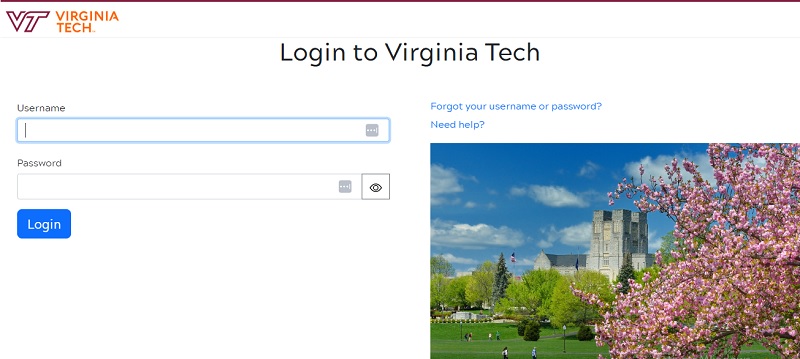
Hokie SPA (Student Personal Access) is an online system used by Virginia Tech students to access a variety of academic and administrative services. The system provides students with secure and convenient access to their academic records, financial aid information, course registration, and more. Here are some of the key features of Hokie SPA:
- Course registration: Students can use Hokie SPA to register for courses, view course schedules, and manage their waitlist status.
- Grades and transcripts: Students can view their grades, academic history, and official transcripts.
- Financial aid: Students can view and manage their financial aid status, including scholarship and grant information.
- Student account information: Students can view and manage their student account balances and payment history.
- Personal information: Students can update and view their personal information, including contact information, emergency contacts, and more.
- Advising: Students can schedule appointments with academic advisors and view their advising notes.
- Career services: Hokie SPA provides access to career services, including job postings, on-campus interviews, and career fairs.
- Library resources: Hokie SPA provides access to library resources, including online databases, e-books, and other research tools.
The Hokie SPA guest account function enables a student to share certain individuals with information about their financial aid, including the award letter, eligibility requirements, financial aid holds, academic standing, cost of attendance, and/or loan history. It is significant to remember that when a student provides information about financial aid, that person is permitted access to that information for all aid years.
For Students:
To set up a guest account access:
- Log into Hokie SPA with your student PID and password.
- Select “Guest Account Access”
- Enter the email of the individual you wish to grant access.
- Select the type of information you wish to release.
- Select “Grant Access”
Students may decide to restrict access to any or all information once it has been made available. In order to deny someone access to information:
- Log into Hokie SPA with your student PID and password.
- Select “Guest Account Access”
- Scroll to the bottom of the page to the list of people to whom information has been released.
- Select which individuals and type of information you no longer wish to have released.
- Select “Remove Access”
- An email will be sent to you and the individual to whom the access was removed verifying the changes.
The individual’s guest account access will automatically refresh when information released changes.
For visitors:
You will get two emails after a student invites you to register as a guest. Your invitation to create a guest account will be announced in the first email, which will also provide a link to do so. The student’s name and the details that were given to you will be included in the second email. It should be noted that the URL provided in the email to set up guest access will only be active for 48 hours.
You will be directed to a form where you must enter your name, address, phone number, and password after clicking the link in the email. Passwords must adhere to the password specifications (see the link on the form for more information on password requirements.)
Create an account and then sign in to the Guest Account Information Gateway.
- Observe the link supplied above or the link in the second email.
- your email address and password (use the email address that you received the invitation to create a guest account.)
- “Financial Aid Information” should be chosen.
- You’ll be brought to a menu displaying the kinds of information you can access.
- Choose the information type that you want to view.
- Name the student and the aid year.
- You preserve your privacy, make sure to click the “Exit” button in the top right corner and close your browser.
You will receive email notification if a student chooses to restrict access to any particular information. Even though you can still access the Guest Account Information Gateway, you will only be able to view the data that has been made available to you.
The actions below should be followed if you ever want to delete your guest account: NOTE: If you want access to the information that has been released to you, you must register a new account because the actions below will entirely erase your guest account from the system.
- Go to the Guest Account Information Gateway.
- Select the option below the login “To Edit your Account Information, Click Here.”
- Log into the Virginia Tech Guest Account Management System (GAMS), using your normal email and password.
- You will see the same form that you provided demographic information on when you first created your account.
- Click on “Delete this Account.” at the top of the form.
- Select and confirm
- An email will be sent to you verifying that the account has been deleted.
Students, faculty, and staff can examine academic, financial, and other important information concerning their affiliation with Virginia Tech through the Hokie SPA (Student Personal Access) programme.
Who can use it?
- Students
- Faculty
- Staff
How do you get it?
Login to https://hokiespa.vt. edu.
How much does it cost?
No charge
Where do you get help?
Click “Get Help” in the menu at the top of the page.
FAQs Hokie SPA
Q: What is Hokie SPA?
A: Hokie SPA is an online system used by Virginia Tech students to access a variety of academic and administrative services.
Q: What services are available through Hokie SPA?
A: Hokie SPA provides students with access to a range of services, including course registration, grades and transcripts, financial aid information, student account information, personal information, advising, career services, and library resources.
Q: How do I access Hokie SPA?
A: Access to Hokie SPA is available to all Virginia Tech students, and requires a valid university ID and password. Students can log in to Hokie SPA using their Virginia Tech PID and password.
Q: Is Hokie SPA available 24/7?
A: Yes, Hokie SPA is available 24/7, providing students with a convenient way to manage their academic and administrative tasks.
Q: What can I do through Hokie SPA?
A: Through Hokie SPA, students can register for courses, view their grades and academic history, manage their financial aid status, view and pay their student account balances, update their personal information, schedule appointments with academic advisors, access career services and library resources, and more.
Q: Is there a cost associated with using Hokie SPA?
A: No, there is no cost associated with using Hokie SPA. The system is available to all Virginia Tech students at no charge.